vAST
viaNexus Agentic Service Technology
vAST is the agent-ready access layer for viaNexus financial data. It connects MCP clients, Financial Chat Agent, and SDK workflows to 30+ institutional datasets through one signed credential, with server-side dataset permissions built in.
one platform · every dataset · any agent
Works with leading LLM providers
 Gemini
 Claude
 ChatGPT
About
30+ vendors.
One agent.
Financial agents need more than an API key. They need licensed data, normalized rows, and permissions that hold up across every tool call.
The problem
Agent access breaks in three places.
-
Vendor sprawl
Thirty vendor contracts.
News, fundamentals, transcripts, market data, reference data. Every provider has a different API, a different auth, a different invoice. Your agent has to talk to all of them.
-
Entitlements
Entitlements at the row level.
User A pays for European market data, user B doesn’t. Same agent, same query, different rows allowed. If the agent sees data the user can’t use, you’re in violation.
-
Machine auth
Auth that LLMs understand.
API keys leak, hardcoded tokens expire, OAuth-for-humans doesn’t fit machines. Agents need credentials they can present, refresh, and scope without a human in the loop.
Financial data is fragmented across providers, subscriptions, and auth models. Before an agent can answer safely, it has to know which data exists, which rows a user is allowed to see, and which credential it can present.
What vAST changes
viaNexus becomes the data layer.
viaNexus provides the financial data: bundled NexusCore datasets, premium NexusEdge partner data, and provider access behind one account. vAST is the agent access layer on top, so every client uses the same catalog, auth, and dataset permissions.
-
Data provider
Normalized market data, fundamentals, news, transcripts, reference data, and partner datasets.
-
Permissions
Software statements and tokens enforce which datasets each agent or user can reach.
-
Interfaces
MCP, Financial Chat Agent, and SDK all reach the same allowed data through different calling styles.
Access
Three ways in.
Pick the surface closest to where your agent runs. MCP, Financial Chat Agent, and SDK share the same auth, catalog, and dataset permissions.
Protocol
MCP service
Use MCP if your agent already lives in Claude, Cursor, ChatGPT, or another MCP client.
MCP quickstart →Product
Financial Chat Agent
Use Financial Chat Agent if you want hosted chat with a pk_... token.
Library
Agent SDK
Use SDK if you want to own the agent loop, memory, prompts, model, and infra.
SDK quickstart →MCP service
MCP
service.
Add viaNexus from the connector directory in Claude or Cursor, or point your own app at the endpoint. The agent gets search and fetch wired to your subscribed datasets.
Quickstart
There is one MCP endpoint. Authenticate once with your viaNexus account, and the MCP server exposes every dataset included in your subscription.
Where to add it
https://vast.blueskyapi.com/vianexus/mcp
One endpoint · every client below
Claude
Search viaNexus in connectors, hit Connect, sign in. Nothing to paste.

Cursor
Uses an API key, not OAuth. Install from the directory, or add the config in the setup section below.
ChatGPT
Same endpoint, same datasets. MCP support for the OpenAI platform is in active development.
Zed, and any other MCP client
Anything that speaks MCP. Point it at the endpoint above, handle OAuth in its connector config.
No account yet? The OAuth popup lets you sign up and start a trial inline. Hitting issues? Reach out to us.
Cursor setup
Cursor connects with an API key rather than OAuth. Generate a key (sk_…) in the viaNexus console first.
Add the config
Put this in ~/.cursor/mcp.json for every project, or .cursor/mcp.json inside one.
{
  "mcpServers": {
    "vianexus": {
      "url": "https://vast.blueskyapi.com/vianexus/mcp",
      "headers": {
        "x-api-key": "${env:VIANEXUS_API_KEY}"
      }
    }
  }
}
Set your key, then restart Cursor.
export VIANEXUS_API_KEY=sk_your_key_hereRun mcp tool list in a Cursor chat to confirm. You should see vianexus listed.
Before you start
-
Keep the
mcpServerswrapperA bare
{ "url": … }object is not valid inmcp.jsonand Cursor will fail to load it. The preview on cursor.directory omits the wrapper, so use the config here instead of pasting theirs. -
Add to Cursor names it
serverInstalling from the directory currently registers it as
server. A known directory issue, harmless to the connection. Rename it inmcp.json. -
We are on cursor.directory, not Browse Marketplace
Cursor runs two registries. viaNexus is listed on the community directory. Searching Settings → Open Customize → Browse Marketplace will not find us.
Security
Lock
and key.
One signed credential starts the OAuth flow. Every access method uses the same token introspection and dataset-permission checks: MCP, Chat Agent, SDK.
The flow
YOUR AGENT
Software statement
Signed JWT
VIANEXUS AUTH
Token + scope
Identity verified
MCP SERVER
Scoped data
Permission checks
Access flow How token scope is enforced Statement, OAuth, introspection, scoped rows.
01 / 05
Agent gets a software statement
A signed JWT issued from your viaNexus account. It identifies the OAuth client and can carry dataset permission patterns such as EDGE:MT_NEWSWIRES*.
In the hosted sign-in flow, the console creates this for you after login. In the SDK flow, you can request one with your API token and pass it to the MCP auth server during registration.
Endpoint
POST https://api.blueskyapi.com/v1/agents/register?token=$VIANEXUS_API_TOKEN
Content-Type: application/json

{
  "expiresIn": "1h",
  "permissions": {
    "include": ["EDGE:MT_NEWSWIRES*"],
    "exclude": ["CORE:*"]
  }
}
What’s in the JWT
Contact, software ID, payload ID, optional dataset permission patterns, issued-at, expiry. The API token is stored server-side for the exchange; it is not embedded in the JWT.
Client registers, then starts OAuth
Standard OAuth 2.0 authorization code flow with PKCE. Dynamic client registration per RFC 7591 lets the client provide its software statement during registration, then continue through the normal authorize and token exchange.
Why PKCE
Protects the token exchange from interception even if the agent runs on a public client, browser, end-user device, or multi-tenant edge function.
OAuth shape
POST /register
{ "software_statement": "$VIANEXUS_JWT", ... }

GET /authorize?response_type=code
  &code_challenge=$PKCE_CHALLENGE

POST /token
grant_type=authorization_code
&code=$AUTH_CODE
&code_verifier=$PKCE_VERIFIER
RFC 7591
Dynamic client registration, no pre-registration step.
RFC 7636
PKCE binds the request to a one-time verifier.
Server returns a scoped access token
Short-lived. The MCP auth server stores the API-service token and dataset permission patterns with the OAuth token, then exposes them through token introspection.
When permissions are present, the MCP service filters dataset discovery and dataset fetches server-side before anything reaches the agent.
Subscription change == zero redeploy
The client can keep the same code. To change dataset access, issue a new software statement or update the subscription/permissions behind the token flow.
Token introspection payload
{
  "active": true,
  "client_id": "client_...",
  "scope": "user",
  "aud": "https://vast.blueskyapi.com/vianexus/mcp",
  "api_service_token": "pk_...",
  "contact": "analyst@example.com",
  "dataset_permissions": {
    "include": ["EDGE:MT_NEWSWIRES*"]
  },
  "exp": 1746615262     // 1h TTL
}Agent calls the data plane with the token
MCP request, SDK call, or Financial Chat Agent invocation, all three rely on the same token introspection path. The data plane authenticates the token, reads dataset permissions, and only exposes matching datasets.
Server-side enforcement
The agent never sees a row it doesn’t have rights to. There is no client-side filter to bypass.
Allowed call
POST /mcp/tools/search
Authorization: Bearer $ACCESS_TOKEN

{ "product": "EDGE", "dataset_name": "MT_NEWSWIRES", "symbols": "AAPL" }

200 OK  → matching news rows
Out-of-scope call (refused server-side)
POST /mcp/tools/fetch
Authorization: Bearer $ACCESS_TOKEN

{ "product": "CORE", "dataset_name": "REPORTED_FINANCIALS", ... }

error → "Permission denied for dataset CORE:REPORTED_FINANCIALS"Tokens expire, clients refresh
Access tokens expire after 1 hour. Refresh tokens last longer, and SDK clients handle refresh behind the scenes when the OAuth flow has issued one.
Software statements are signed, time-limited handoff artifacts. Rotate or reissue them when you want a new permission set.
Lifecycle
Rotate permissions
POST /v1/agents/register?token=$VIANEXUS_API_TOKENIssue a new statement with a tighter permissions object, then reconnect the client with that statement.
What vAST Enforces
Direct consequences of the auth model. Every access method inherits all three.
-
01
Credentials
No leaked credentials.
The agent only ever holds a signed statement and a short-lived token. No API keys to leak, no rotating-secrets runbook.
-
02
Permissions
Server-side permission enforcement.
Dataset permissions are enforced server-side by the MCP service. Change the permissions behind the statement or subscription, reconnect or refresh the client, and the agent code does not need to change.
-
03
Scope
Per-agent scoping.
One statement per agent deployment. A news-only agent gets a news-only catalog. The agent never sees what its dataset permissions do not allow.
Financial Chat Agent
Financial
Chat Agent.
Pre-built conversational agent. Powers AskNexus today. Use it with a viaNexus pk_... token, embed it in your app, or add it manually to an OpenBB workspace.
Quickstart
A token and one endpoint. First call lands in 20-35 seconds, follow-ups in about five.
Get token
Use your viaNexus token
Create a personal API token in the console. Tokens are prefixed pk_... and are passed as ?token=.
Call /chat
TOKEN="your-vianexus-token"
BASE="https://financial-chat-agent-857389207619.us-central1.run.app"

curl -X POST "$BASE/chat?token=$TOKEN" \
  -H "Content-Type: application/json" \
  -d '{"message": "What is AAPL trading at right now?"}'
FCA walkthrough Call the hosted agent Token, first call, session follow-up.
01 / 03
Grab your token
Get a personal API token at console.blueskyapi.com. It starts with pk_.
Use the token as a query param on each hosted agent request.
Environment
export VIANEXUS_TOKEN="pk_..."Token boundary
The agent can only answer from datasets your token can access.
Make your first call
POST a message to /chat. The response includes an answer and a session_id.
Keep the session id if you want follow-up questions to share context.
Request
BASE="https://financial-chat-agent-857389207619.us-central1.run.app"

curl -X POST "$BASE/chat?token=$VIANEXUS_TOKEN" \
  -H "Content-Type: application/json" \
-d '{"message": "What is AAPL trading at right now?"}'Continue the conversation
Pass the session_id back to keep context.
Sessions expire after 1 hour of inactivity.
Follow-up
curl -X POST "$BASE/chat?token=$VIANEXUS_TOKEN&session_id=5f942fb6fadf4791bc7dece76d4a7332" \
  -H "Content-Type: application/json" \
  -d '{"message": "How does that compare to its 52-week high?"}'
Capabilities
Platform-embeddable
Drop into any app, terminal, or workspace.
MCP-native
Speaks directly to the viaNexus MCP.
Entitlement-aware
Dataset permissions are enforced through the same MCP token flow.
Metered & billable
Per-conversation billing, marketplace-ready.
Token Access
Financial Chat Agent uses the same viaNexus account token and dataset permissions as the rest of vAST. If your pk_... token can reach a dataset, the agent can use it.
-
01
Token
Account and subscribed datasets. -
02
/chat
Question arrives with?token=. -
03
Answer
Only allowed datasets.
Same permission model
The agent does not bypass subscriptions. It can only answer from datasets your token is allowed to access.
OpenBB Workspace install Chat, charts, and alerts inside OpenBB.
OpenBB
Add Financial Chat Agent manually to an OpenBB workspace. Users get conversational access to 30+ institutional datasets, with charts, alerts, and tables rendered alongside OpenBB’s native widgets. The marketplace listing is MCP-only for now; the full agent is available today via manual install.
Watch demoConversational portfolio analysis. Natural language across every subscribed dataset, in one chat.
Dynamic chart creation. Charts and dashboards generated on demand inside OpenBB widgets.
Automated monitoring & alerting. Set alerts on any condition; data payloads delivered to email.
Entitlement-aware. The agent uses the same MCP token and dataset-permission enforcement as the connector.
Chatbot App or portal embed Hosted financial chat for your users.
Chatbot
Drop Financial Chat Agent into your app, portal, or website as a chat interface. Users type questions, the agent queries your viaNexus data and responds with structured answers, tables, and charts. AskNexus is the live working example, that’s exactly this use case, built and running today.
Try AskNexusSee vianexus.com/asknexus for the working consumer chat we run on Financial Chat Agent. The same agent, with the same auth and dataset-permission model, embedded against the full viaNexus catalog. Build the same thing in your product.
Agent SDK
Agent
SDK.
Open-source Python framework. Bring your LLM, bring your infra, write your code. MIT-licensed, Python 3.11+.
Unified factory for OpenAI, Anthropic, and Gemini. Built-in memory stores, persistent MCP sessions, automatic tool integration with the viaNexus MCP, OAuth + software-statement auth, full type hints.
Quickstart
Install via pip or uv. The factory auto-detects the LLM provider from your model name, so you can switch providers by changing one config value.
Install
# with uv (recommended)
uv add git+https://github.com/blueskynexus/viaNexus-agent-sdk-python --tag v1.0.0-pre14

# or with pip
pip install git+https://github.com/blueskynexus/viaNexus-agent-sdk-python@v1.0.0-pre14
Quickstart
from vianexus_agent_sdk.clients.llm_client_factory import LLMClientFactory

config = {
    "LLM_MODEL": "gpt-4o-mini",
    "LLM_API_KEY": os.getenv("OPENAI_API_KEY"),
    "agentServers": {
        "viaNexus": {
            "server_url": "https://vast.blueskyapi.com/vianexus/mcp",
            "server_port": 443,
            "software_statement": os.getenv("VIANEXUS_JWT"),
        }
    },
}

client = LLMClientFactory.create_client(config)
await client.initialize()
response = await client.ask_question("Get Tesla's latest earnings")
await client.cleanup()
SDK walkthrough Build a transcripts agent Register, install, ask, verify permissions.
01 / 05
Register a software statement
From your viaNexus account, request a software statement with the dataset patterns this agent can reach. For a transcripts agent, include EDGE:AIERA*.
The API returns a signed JWT. The SDK presents that JWT during MCP OAuth registration, and the MCP server enforces those permissions server-side.
Request
curl -X POST "https://api.blueskyapi.com/v1/agents/register?token=$VIANEXUS_API_TOKEN" \
      -H "Content-Type: application/json" \
      -d '{"expiresIn":"1h",
           "permissions":{"include":["EDGE:AIERA*"]}}'
Response
{
  "success": true,
  "softwareStatement": "eyJhbGciOiJSUzI1NiIs..."
}
Save it as VIANEXUS_JWT in your env.
Install the SDK
One install pulls the framework, the MCP client, and the OAuth handler. No additional setup, no separate auth library.
Python 3.11+. We recommend uv for speed, but pip works just as well.
Recommended
uv add git+https://github.com/blueskynexus/viaNexus-agent-sdk-python \
   --tag v1.0.0-pre14
Or with pip
pip install git+https://github.com/blueskynexus/viaNexus-agent-sdk-python@v1.0.0-pre14What You Get
LLMClientFactory, persistent MCP session manager, OAuth handler, three memory backends, full type hints.
Wire the agent
One config dict. Pick a model, drop in the JWT from step 01, and let the factory wire up OAuth, MCP, and tool integration for you.
Switch providers later by changing the model name, the factory auto-detects Anthropic, OpenAI, or Google.
Auto-wired tools
The factory registers search and fetch with the LLM. Claude decides when to call them.
news_agent.py
from vianexus_agent_sdk.clients.llm_client_factory import LLMClientFactory
import os, asyncio

config = {
    "LLM_MODEL": "claude-3-5-sonnet-20241022",
    "LLM_API_KEY": os.getenv("ANTHROPIC_API_KEY"),
    "system_prompt": "You are an earnings-call transcripts analyst.",
    "agentServers": {
        "viaNexus": {
            "server_url": "https://vast.blueskyapi.com/vianexus/mcp",
            "server_port": 443,
            "software_statement": os.getenv("VIANEXUS_JWT"),
        }
    },
}

async def main():
    client = LLMClientFactory.create_client(config)
    await client.initialize()
    answer = await client.ask_question(
        "Summarize AAPL's most recent earnings call."
    )
    print(answer)
    await client.cleanup()

asyncio.run(main())Run it
The SDK presents your software statement to the auth server, gets a scoped access token, opens an MCP session, and exposes search + fetch to Claude.
Claude decides when to call them. The agent loop runs until the answer is ready, then closes the session.
Run
$ python transcripts_agent.pyWhat happens, in order
search and fetch registered with Claudesearch for the AAPL earnings call transcriptfetch for the matching transcript rowsTry the boundary
Ask about REPORTED_FINANCIALS: the MCP returns a permission error for CORE:REPORTED_FINANCIALS. Your software statement only allowed Aiera transcripts, so the call is rejected server-side.
Extend without redeploying
Subscribe to a fundamentals dataset later? Issue a new software statement with a broader permissions.include list.
Reconnect or refresh the client with the new statement. Code stays the same. The auth flow stays the same.
Add a dataset
Issue a new statement with broader permissions.
permissions: {
  include: [
    "EDGE:AIERA*",
    "CORE:REPORTED_FINANCIALS:*"
  ]
}
Swap providers
Change one config key.
"LLM_MODEL":
  "gpt-4o-mini"
# → OpenAI auto-detected
Persist memory across runs
client = LLMClientFactory.create_client_with_memory(
    config, memory_type="file", path="./agent.db"
)
The auth flow is unchanged. New permission patterns, new providers, new memory backends, all behind the same SDK config shape.
SDK internals Runtime architecture Providers, memory, sessions, tools, methods.
LLM Providers
Three major providers, one unified interface. The factory detects the provider from the model name (or you can set it explicitly). Switching providers is a config change, no code rewrite.
OpenAI
GPT · o-series
GPT-4, GPT-4o, o1.
Detect: gpt-*, o1-*
Anthropic
Claude
3.5 Sonnet, 3 Opus, 3 Haiku.
Detect: claude-*
Gemini
2.5 Flash, Pro, more.
Detect: gemini-*
Switch providers without code changes
# Auto-detect from model name
config["LLM_MODEL"] = "claude-3-5-sonnet-20241022"   # → Anthropic
config["LLM_MODEL"] = "gemini-2.5-flash"             # → Gemini
config["LLM_MODEL"] = "gpt-4o-mini"                  # → OpenAI

# Or pin explicitly
client = LLMClientFactory.create_client(config, provider="anthropic")
Memory Architecture
Three memory modes, picked per agent. Memory is session-isolated by user_id so multi-tenant deployments don’t cross-contaminate, and the same store works across all three providers.
Tier 01
DefaultIn-memory
Session-only. Lost on restart.
with_in_memory_store()
Tier 02
PersistentFile-based
Persists across restarts. Multi-day analyst sessions.
with_file_memory_store(path)
Tier 03
NoneStateless
No history. One-shot lookups, batch jobs.
without_memory()
Per-call memory control
response = await client.ask_question(
    "What is Apple's market cap?",
    maintain_history=True,    # keep in current session context
    use_memory=True,           # persist to / load from store
    load_from_memory=True,     # hydrate prior conversation
)
Cross-provider memory: a conversation started with Claude can be continued with GPT-4o, the store is provider-agnostic. Useful for cost optimization (cheap model for triage, premium for synthesis) without losing context.
Persistent Sessions
For long-running conversations, the persistent client keeps a single MCP session alive across many queries. The MCP handshake (discovery, registration, OAuth, introspection) happens once instead of per-request, lower latency, lower load on the auth server.
Single MCP handshake
OAuth once at session start. Tool calls reuse it.
Maintained context
Pair with file memory for multi-day sessions.
Health checks
is_connected, mcp_session_id for monitoring.
Auto-establish
auto_establish_connection=True for auto-reconnect.
Long-running portfolio session
client = LLMClientFactory.create_persistent_client(config)
await client.initialize()

session_id = await client.establish_persistent_connection()

r1 = await client.ask_with_persistent_session(
    "Analyze AAPL recent performance",
    maintain_history=True, use_memory=True,
)
r2 = await client.ask_with_persistent_session(
    "Compare it with MSFT",
    maintain_history=True, use_memory=True,
)

await client.close_persistent_connection()
await client.cleanup()
MCP Tools, Auto-Wired
No special setup. Every client created through the factory automatically registers viaNexus MCP tools (search, fetch) with the LLM. The model decides when to call them; the SDK routes calls through the MCP, applies dataset permissions, and returns structured data.
client = LLMClientFactory.create_client(config)
await client.initialize()

# The LLM decides when to call MCP tools, no manual orchestration
response = await client.ask_question(
    "Get Tesla's latest earnings and calculate key financial ratios"
)
# 1. LLM calls `search` to find the right dataset
# 2. LLM calls `fetch` to retrieve earnings rows
# 3. LLM analyzes the data and computes ratios
# 4. Returns the synthesized answer
The agent only sees datasets your software statement allows. Same dataset-permission model as the MCP service, the SDK is a thin client over it.
Method Reference
All clients implement the same interface regardless of provider. Persistent clients add session lifecycle methods on top.
| Method | Use case |
|---|---|
| initialize() | Set up MCP connection. Required before any query. |
| ask_single_question(q) | One-shot query, no history. Quick lookups. |
| ask_question(q, ...) | Flexible query with history / memory toggles. Most common. |
| process_query(q) | Streaming output with maintained history. Real-time UIs. |
| cleanup() | Tear down connections. Required at shutdown. |
| establish_persistent_connection() | Persistent client, open long-running MCP session. |
| ask_with_persistent_session(q, ...) | Persistent client, query within the open session. |
| close_persistent_connection() | Persistent client, close the session cleanly. |
What You Can Build
The SDK is general-purpose. Three concrete patterns, each plugs into the same MCP server, and the permission layer limits access to what its software statement allows.
News agent
A focused news brain.
Software statement scoped to specific news datasets, nothing else. Drop-in for apps that need a single-purpose news layer.
Fundamentals agent
Reported financials only.
Knows reported financials, normalized statements, EPS forecasts, nothing about news or pricing. The narrowest possible scope, full depth.
Custom Financial Chat Agent
Your own Financial Chat Agent.
Same kind of full-coverage agent we productize as Financial Chat Agent, on your own infra, your own LLM, your own memory layer, your own UI. The SDK gives you the pieces; you assemble.
Next Steps
The SDK code is free and MIT-licensed. To reach data you need a viaNexus account, software statements are issued from your account, and the MCP server only serves agents whose statements it can validate.
GitHub repoDataset Catalog
Dataset
Catalog.
The catalog shows what an agent can actually access: NexusCore datasets are included with every plan, while NexusEdge partner datasets can be added one subscription at a time. Your software statement and token permissions enforce that access across MCP, Financial Chat Agent, and the SDK.
NexusCore
14
bundled datasets
NexusEdge
22
premium add-ons
Partners
7+
data providers
Data Partners
Premium partner data flowing through viaNexus today. Every partner dataset is reachable through the universal MCP.
MT Newswires
Real-time financial news
Universal MCPAiera
Earnings call transcripts
Universal MCPBMLL
Pre-trade analytics
Universal MCPExtractAlpha
EPS & revenue forecasts
Universal MCPIndexOne
Custom indices
Universal MCPSavaNet
Standardized fundamentals
Universal MCPBecome a partner →
List your data on viaNexus
Get in touchComing soon
CityFalcon
Sector classification & sentiment
Coming soonPrediction Markets
via Open Data Minds
Coming soonBundled with every plan, available to every subscriber by default.
Equities Market Data
News
Reference Data
Indices
For Data Providers
Your dataset joins the catalog alongside NexusCore + NexusEdge, reachable through MCP, Financial Chat Agent, and SDK without you rebuilding licensing or auth.
Become a data partnerIf you publish financial data, vAST is a distribution channel into AI agents. You bring data; viaNexus handles the MCP, OAuth, dataset permissions, and billing.
What viaNexus handles
Normalization
Schema mapping into the viaNexus standard.
Concordance
Entity resolution across providers and identifiers.
Access control
OAuth, software statements, dataset-permission patterns, commercial vs. personal, geo, rate limits.
Monetization
Subscriptions, billing, and usage metering. Transparent revenue share.
Resources
Demos,
Articles,
Skill Packs.
Demos, articles, and skill packs. Install one in Claude, pair with the viaNexus MCP, run on real dataset permissions.
Short demos for setting up vAST connectors, dashboards, and agent workflows.
More on YouTube →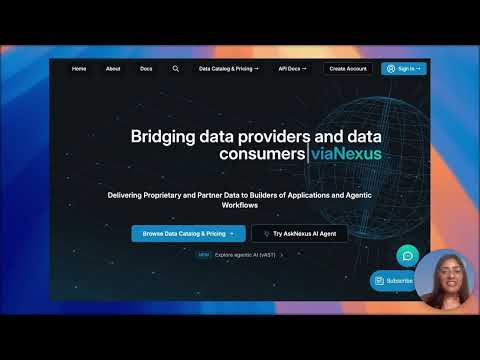
How viaNexus MCP Connectors Work in Claude
Add the viaNexus MCP to Claude and make your first query.
Walkthrough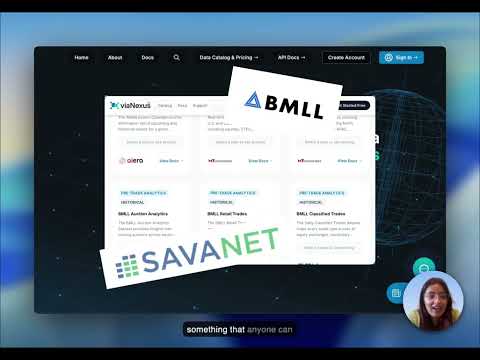
Live Market Dashboard & Death Cross Alert
Dashboard, death-cross alert, datasets, and Paygentic billing.
Demo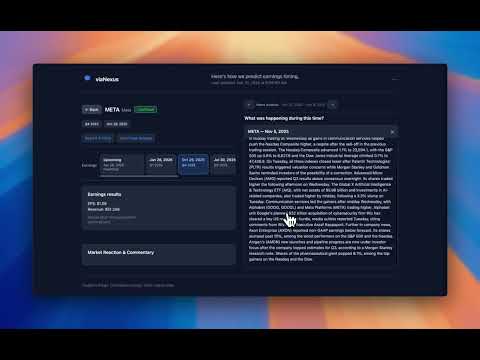
Build a Financial Dashboard in Minutes
Interactive dashboards powered by viaNexus data.
DemoSelected viaNexus articles for agent builders, data engineers, and MCP users.
View all on blog →MCP Permissions for Financial Data
viaNexus extends MCP with scoped, signed credentials for financial data. Works with Claude, Cursor, and any MCP client.
When AI Sounds Confident but Doesn’t Know Better
Whether you’re vibe-coding an app at home — or building a professional GPT to support finance professionals — you need reliable, verified, authoritative data delivered in a form your project can effortlessly consume. That's where viaNexus Agentic Services Technology (vAST) comes in.
2025 - what a year!
From a bold idea and a bare-bones plan to a live, high-performance marketplace, 2025 was the year viaNexus proved a new model for market data and agentic workflows isn’t just possible—it’s necessary. We’re heading into 2026 ready to scale!
How to Stop AI Hallucinations in Financial Data
LLMs can’t be trusted with math—or data scraped from the web. viaNexus and vAST eliminate hallucination from the ground up with licensed, structured, and precalculated data. Deterministic, auditable, and built for finance—where “close enough” isn’t good enough.
What Is a Financial AI Agent?
AI agents are poised to revolutionize industries, but the true potential of these autonomous entities is often obscured by "AI Agent Washing"—a deceptive practice that misrepresents a system's capabilities.
Financial Agents….The Dawn of New Era
This article details viaNexus' Agentic Workflow service, extending OAuth 2.0/2.1 to enable scalable, autonomous agents in finance. It overcomes traditional OAuth's limits with pre-authorized scopes, and securing agent authentication and authorization.
Agentic Workflows: Overcoming Current Limitations
Agentic workflows, designed to automate complex tasks, hold immense promise for boosting productivity and efficiency. However, current implementations face several significant shortcomings that hinder their full potential. This blog post will explore these challenges, particularly foc...
Pre-built skills for Claude. Open Raw on any skill, paste the text into Claude and say “save this as a skill”. Then add the viaNexus connector from the directory, sign in or sign up, and the skill runs on live data.
All skills on GitHub →Live Market Dashboard
Auto-refreshing watchlist: prices, spectrum, and news.

Datasets
RSI Screener
Rank a universe by 14-day relative strength.

Datasets
Earnings Calendar
Upcoming reports with the session each lands in.

Datasets
News Analyst
Deduplicated headline briefings across a basket.

Datasets
Coming soon
Live viaNexus widgets
Embeddable dashboards that stream real viaNexus data, landing here soon.
Featured demo
Live Market Dashboard & Death Cross Alert
30+ datasets, OpenBB workspace, Paygentic billing, in minutes.
Latest from the blog
View all →Financial Data: A New Stack Is Emerging
Building dashboards and AI agents on 30+ institutional datasets through one API.
Reinventing Fundamentals: Standardization, Done Properly
How viaNexus + SavaNet turned XBRL chaos into structured financial schema.
Building an Earnings Season Navigator
Combining six viaNexus datasets into one earnings dashboard.
viaNexus + MCP = The Easy Button for AI
How MCP makes financial data accessible to any AI agent.
Start building.
14-day free trial. No credit card. Connect to 30+ financial datasets through your AI in under two minutes.
Or jump to the MCP quickstart if you already have an account.